Microsoft Flight Simulator 2024 is already a complete suite of features and has a lot of improvements compared to older versions. But if you really want to get the most out of it there are software essentials that you really should consider.
Navigraph🧭
Navigraph is by far the platform I cannot live without. This is a complete suite of products for flight planning and flight tracking.
Simbrief🧭
It starts with Simbrief dispatch, this is the platform to plan your flight. When planning your flight the journey already starts. Just select your favorite airline, flight number, departure & arrival airport and your airplane model and you are good to generate a flight plan. If you want to go further you can select the number of passengers, cargo and fuel just like in real-life.
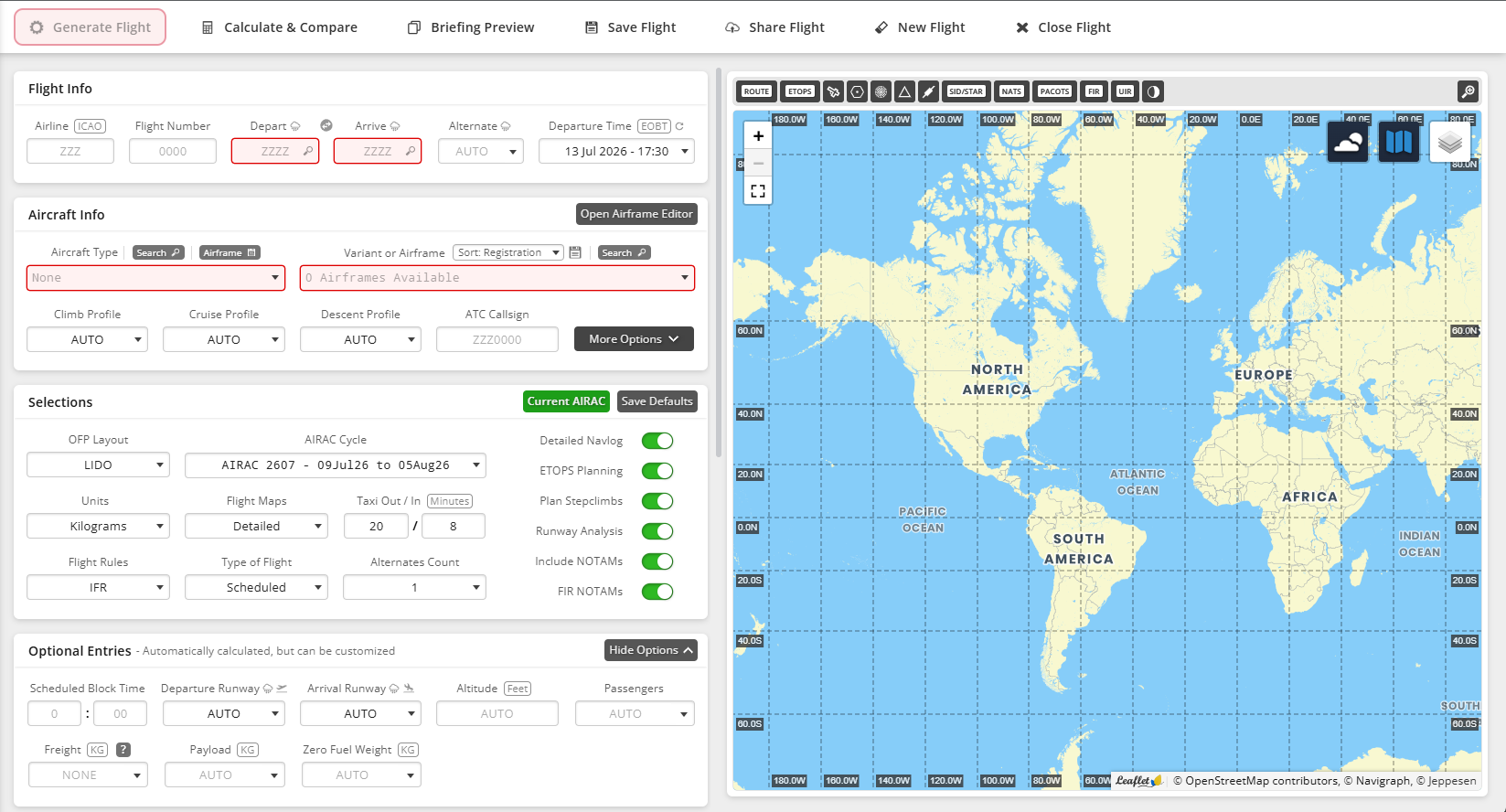
From Simbrief you can generate your flight plan and if you want to you can file it to networks like Vatsim. The flight planning is not where the platform ends.
Navigraph works perfectly in Microsoft Flight simulator to load your flight in the EFB
One of the great features I really like and is quite essential is the Navigraph Charts.
Charts🧭
Navigraph charts contains a massive amount of charts for almost every airport. After the plan is filled in Simbrief it can be imported into the chart application. This image shows my planned route from Rotterdam (EHRD) to Kastrup Copenhagen (EKCH).
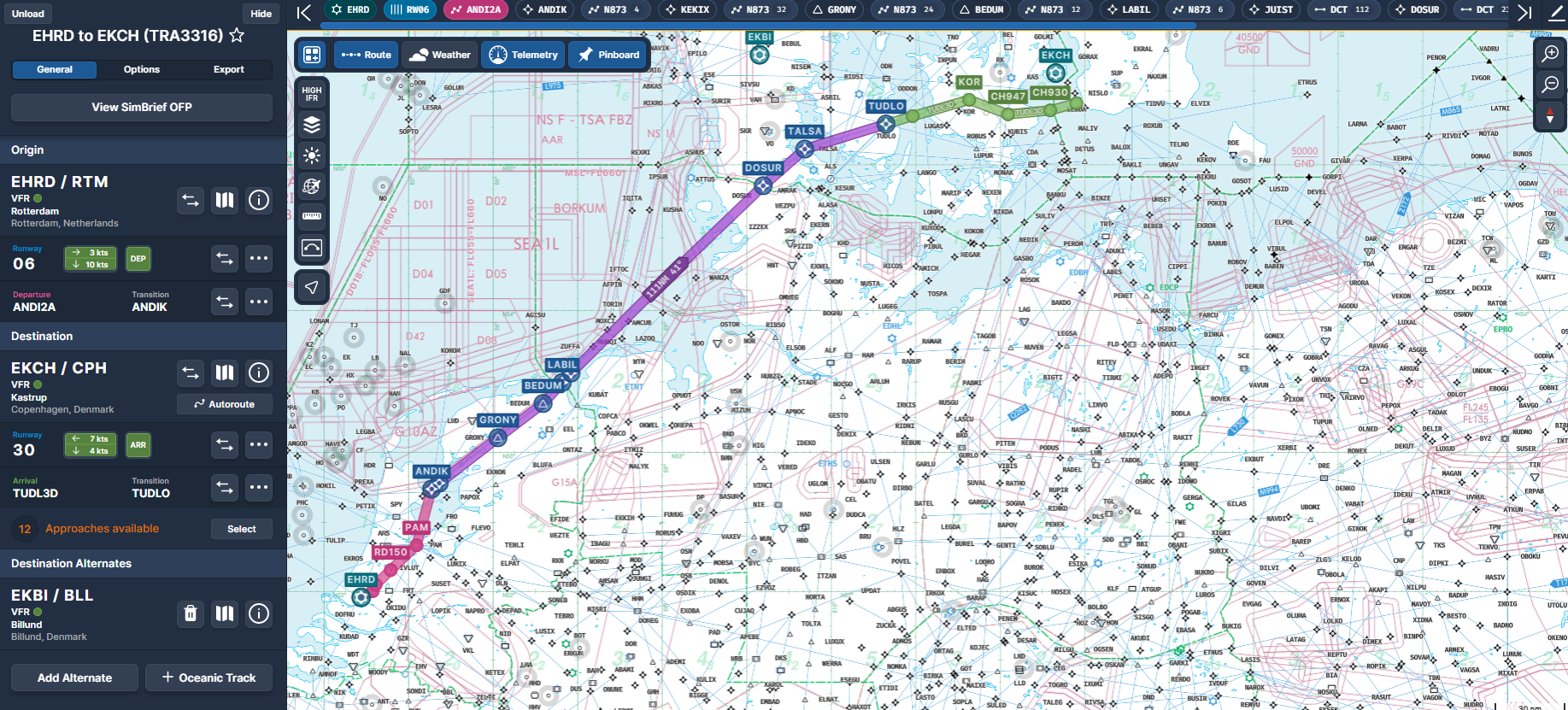
With the Simlink application configured on your computer you can track your airplane along the route and use this to program your autopilot if applicable.
The Navigraph charts work is working on Mobile and desktop. Ideal for a tablet during a flight.
Weather🧭
Within Navigraph Charts you can see airport information like weather, airport charts, approach charts and other charts available.
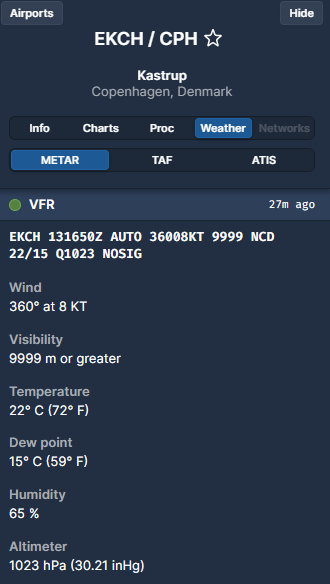
The weather gives (mostly) the same information as the ATIS on the airport.
Charts🧭
What makes Navigraph cool are the advanced charts. This is a real essential in flying because this guides you through every step of your approach. If you need to know the approach altitude, the barometric settings or the go-around procedure, the charts are here to help.
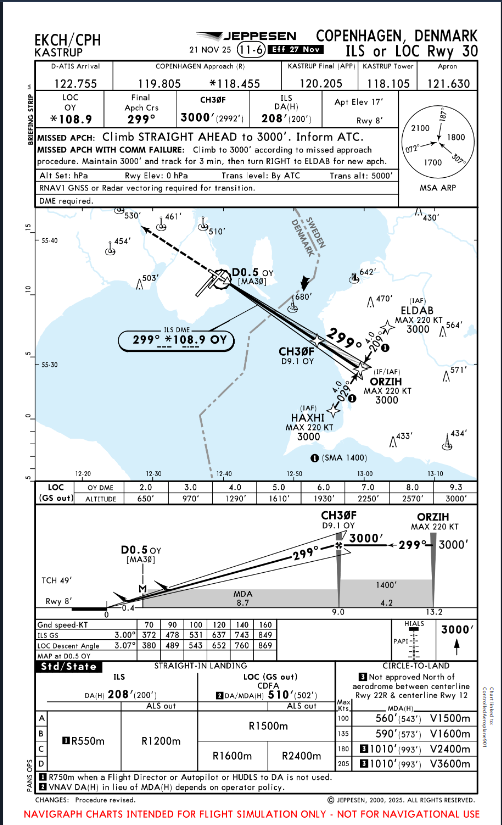
In the chart above you see the altitudes and the glide path to the runway. Looking at the chart for RWY30 I know that I need to fly on 3000 feet at ORZIH with a max of 200 knots.
Integration🧭
Many 3rd party applications are using the power of Navigraph. If you look at Volanta or Vatsim radar, they all use the Navigraph platorm to track airlines.
Fenix Simulations🧭
Microsoft Flight simulator has out of the box many airplanes to choose from. If you want to use the Inibuilds A320, a Cessna or a cargo plane, the box contains all of it.
If you really want to go into more detail you can consider Fenix Simulations airplanes. I bought the the A320 package but it's worth every Euro.
The Fenix airplanes are fully compatible with MSFS 2024. The level of detail of these planes is almost scary. Whether you are flying the default FenixSim livery or a custom one the software supports it all.
Every sound in this airplane is right. If you are pressing buttons on the overhead panel or hitting the throttle to flex, all sounds are perfect just like you are in the real plane.
The Fenix airplanes are also worth it to practice handling all kind of failures. From an engine failure to bus failure the airport supports it all!
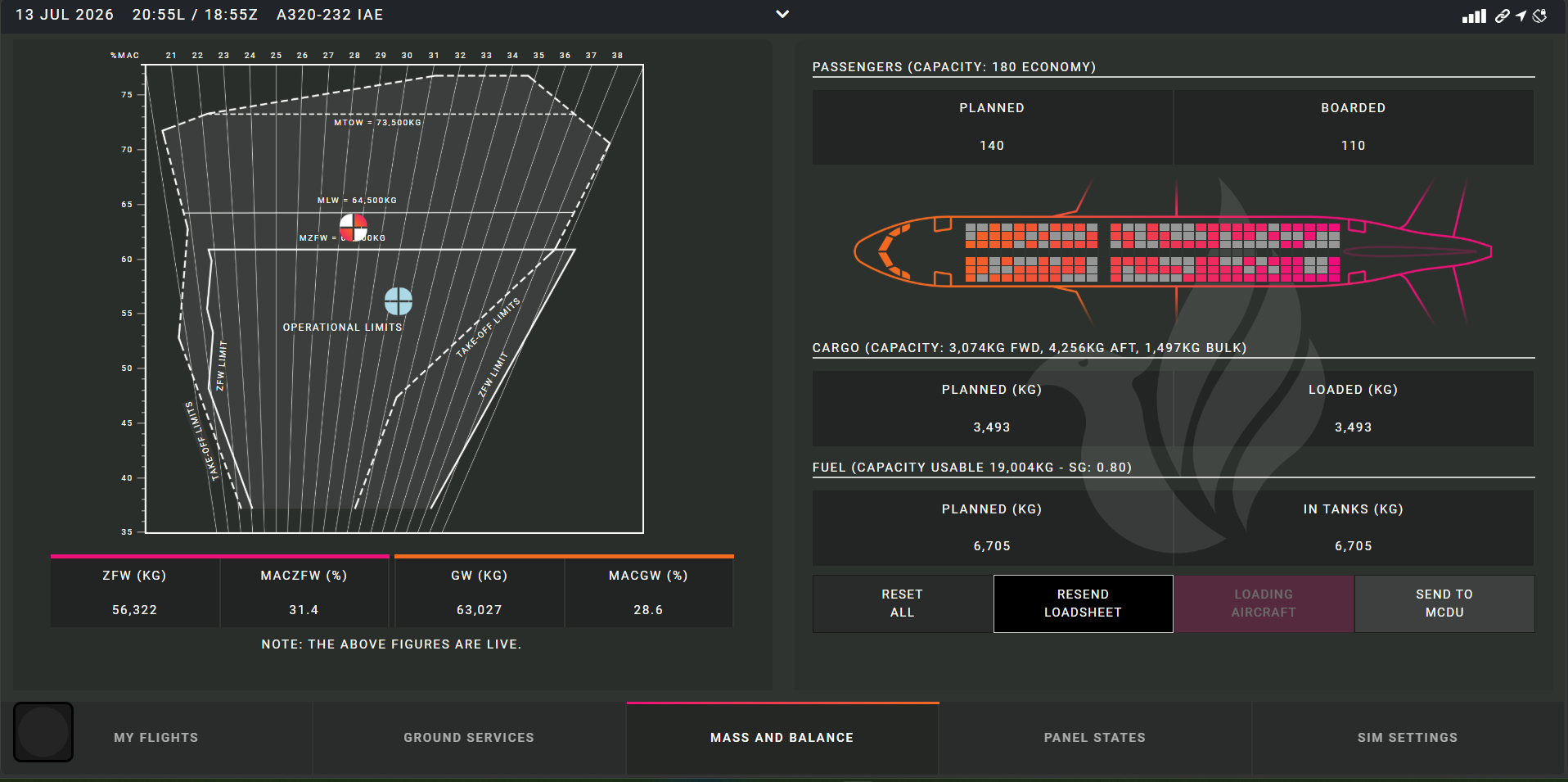
After setting the Simbrief payload like passengers and Cargo you can easy import the settings into the Fenix with 1 click.
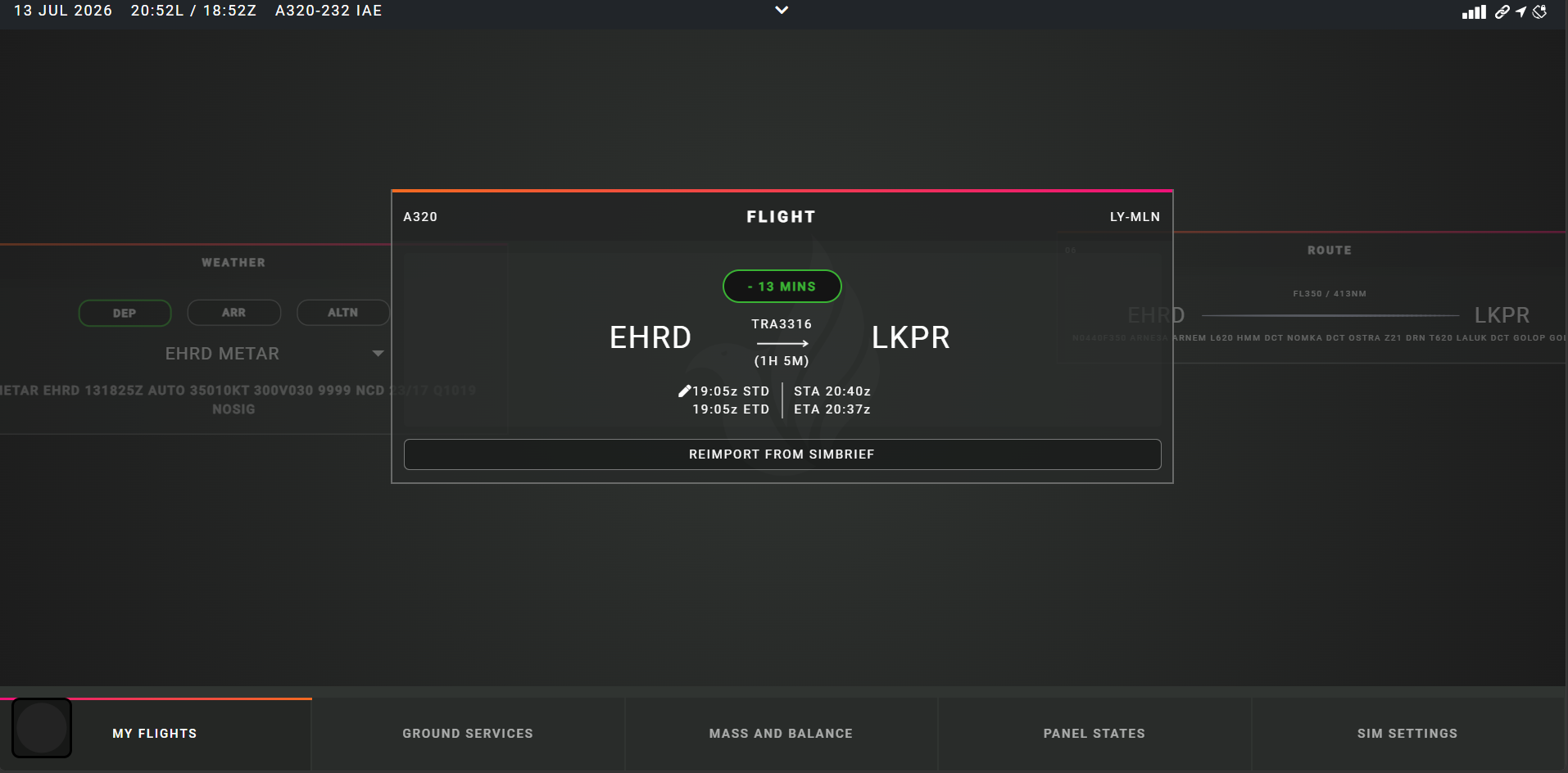
This will set the number of passengers, the cargo and fuel instantly to the correct values. It even uses it to calculate the performances.
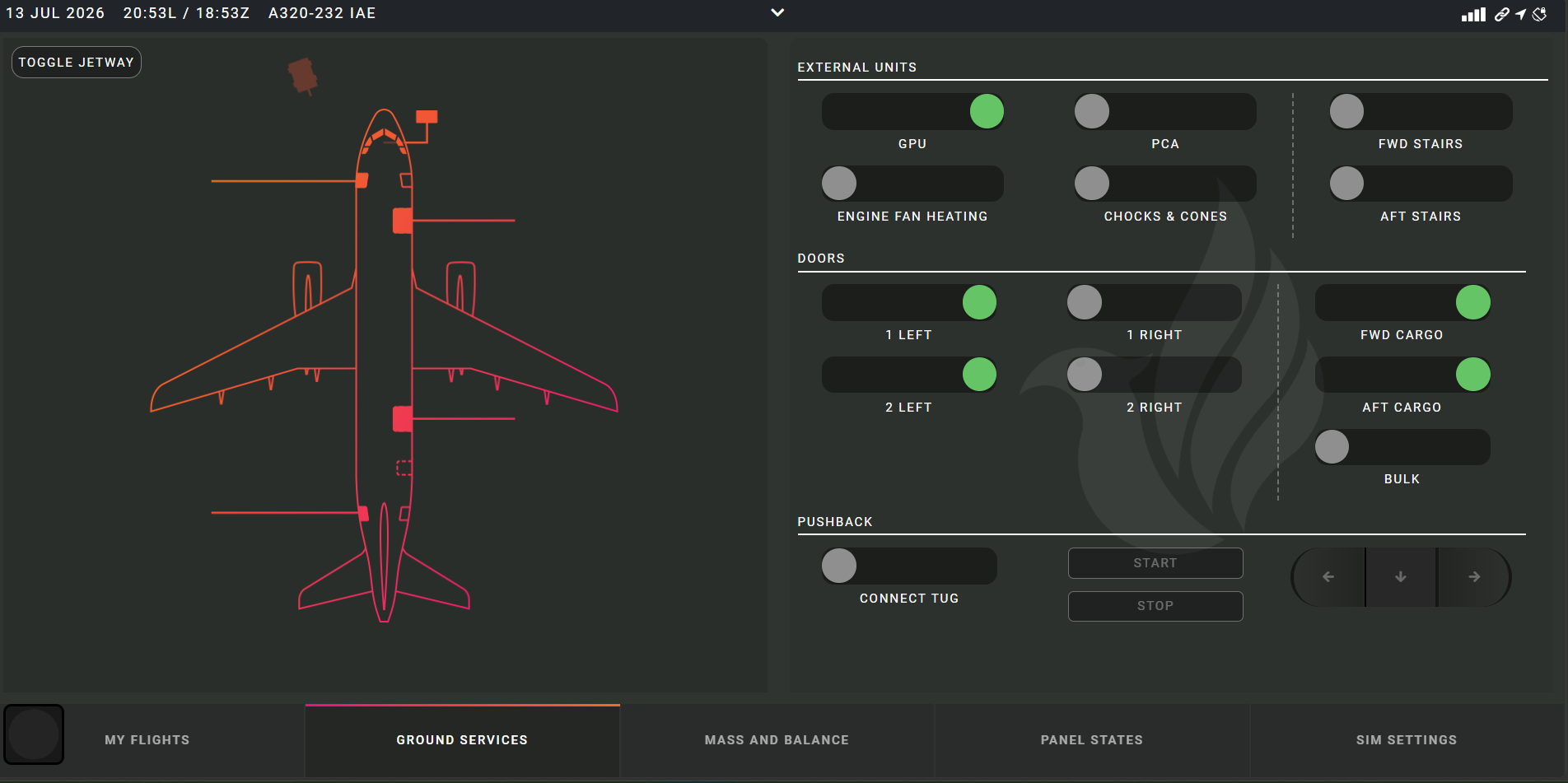
On the ground there are numerous of options for the plane. Do you want to attach the jetway or stairs, connect the GPU or want to open a door, no problem it's just a few clicks away.
In the screen below you can see an overview of the expected number of passengers, cargo and fuel. With the load Aircraft you can load it instantly, real time or with the GSX integration.